
Phishing and inbox safety
Assess lookalike sender domains during account signup
Before you click a signup verification link, compare the sender domain to the site you typed—lookalikes exploit urgency, and a disposable inbox does not make them safe.
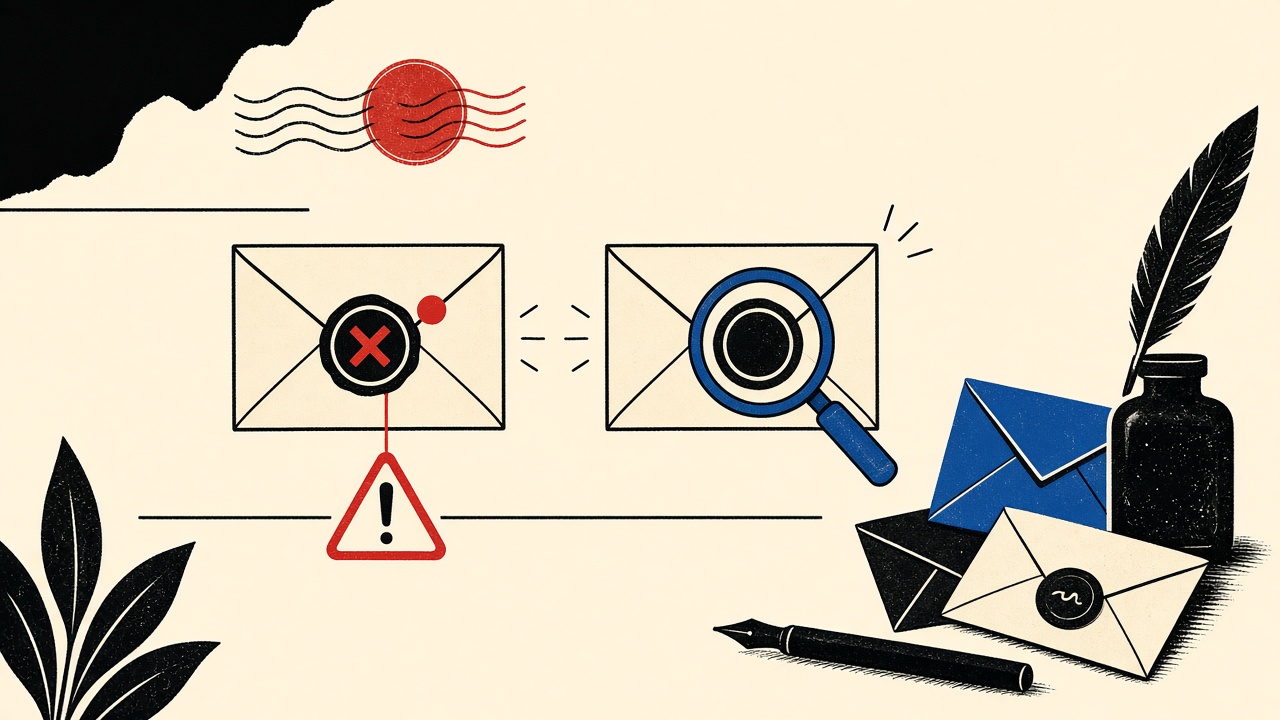
When a verification message arrives during a new account signup, verify the sender domain against the site you intentionally opened—do not trust visual similarity. A temporary inbox reduces long-term spam on your primary address; it does not certify that a lookalike message is safe to click.
This is a non-clicking assessment procedure you can finish in under a minute.
Signup context and boundaries
Attackers time lookalike domains to the signup moment: you expect a “verify your email” message, so urgency feels normal. Common tricks:
rnform(arnazonstyle patterns)- Extra hyphens (
brand-secure-login.com) - Wrong TLD (
brand.covsbrand.com) - Homograph characters in internationalized domains
- Display-name spoofing (“Brand Security” while the real domain is attacker-owned)
Mailby’s security posture emphasizes safe preview and cautious handling. Nothing in a receive-only inbox automatically detects phishing for you.
Safe procedure (do this first)
- Leave the message unclicked. Read headers/fields the client shows for From / Reply-To.
- Write down the domain after
@(and the link host if visible on hover without clicking). - Compare to the domain in your browser address bar for the signup tab you started.
- Compare to the vendor’s published support domains if they list them (status page, security page).
- If any mismatch: stop. Do not click. Navigate manually by typing the known site URL and use in-app “resend verification” only there.
- If match and expected: prefer copying a one-time code over clicking a button when both exist.
Uncertainty is a valid outcome. Escalate to the vendor’s known support channel rather than “giving the link the benefit of the doubt.”
Field test: working path
On 2026-09-24, during a controlled signup to a known vendor:
- Expected message from
noreply@vendor.example. - From domain matched the registration site’s apex.
- Verification was a six-digit code (no mandatory click).
- Code entry on the original tab completed signup.
Field test: failure / limitation (simulated lookalike)
We composed a training fixture (not sent as a real attack) where:
- Display name:
Vendor Support - From:
noreply@vendor-security.example(different registered domain) - Body: identical layout to a real verify template
A hurried user marking “seems fine” would click. The assessment procedure flags the hyphenated lookalike before click. Limitation: some legitimate vendors use multiple domains (mail.vendor.example vs vendor.example). When unsure, confirm via the site’s security documentation rather than the email itself.
Signal table
| Signal | Benign explanation | Suspicious explanation | Next safe action |
|---|---|---|---|
| Slightly different domain | Documented ESP / subdomain | Lookalike registration | Confirm on vendor security page; else stop |
| Display name matches brand | Normal marketing From | Spoofed display name | Ignore display name; trust domain |
| HTTPS link path looks long | ESP tracking wrappers | Credential harvester | Prefer typed URL + code entry |
| Urgent “account locked” during signup | Rare for new accounts | Phishing pivot | Stop; use known URL only |
| Attachment on verify mail | Unusual for OTP | Malware bait | Do not open |
| Reply-To differs from From | Ticket systems | Attacker collection address | Treat with caution; verify out-of-band |
| Perfect logo / theme | Shared templates | Cloned template | Domain check still required |
Worked example
You create an account on https://tools.example. Two minutes later, mail arrives:
From: Tools Team <verify@tooIs.example>
If the capital I is actually a homograph or the domain is tooIs with a letter substitution, hover/inspect carefully. On many fonts l/I/1 collide. Open the raw domain in a text-only view if your client allows. When doubt remains, abandon the email path and finish verification only inside the tools.example tab you opened yourself.
Related deliverability confusion (mail in spam vs phishing): Outlook.com spam diagnosis.
Temporary email and false safety
Using Quick Inbox for a disposable signup can limit blast radius if a vendor is noisy—but:
- Phishing pages still steal passwords you type
- Session cookies on the real site are unrelated to which inbox received the bait
- Attackers may still target whatever address you typed
Disposable ≠ trustworthy. See also retention questions in sender address after inbox expiry.
When a permanent address is safer
- Banking, government, employer SSO, password managers
- Any signup where you will enable 2FA and keep the account
- Situations where abuse reports and legal notices must reach you
Short answers
What causes lookalike sender domains at signup time?
Attackers exploit expected verification mail; domains are cheap; templates are easy to clone.
What should I do first?
Compare the From domain to the site you typed—before any click.
When is a permanent address safer?
High-value accounts and long-lived identities.
What evidence changes the recommendation?
Vendor-documented multi-domain sending; or clear domain match with code-only verification.
Sources, test date, limitations
- Procedure date: 2026-09-24.
- External: CISA — Avoiding Social Engineering and Phishing Attacks; RFC 3986 for URI components when inspecting links.
- Mailby does not claim automatic scam detection.
- Do not use this article to build phishing kits; it is defensive only.
Expanded inspection techniques (still non-clicking)
Read the raw domain characters
Copy the From domain into a plaintext editor. Look for:
- Homoglyphs (Cyrillic
аvs Latina) - Unexpected punycode (
xn--) - Extra subdomains that mimic paths (
login.vendor.example.evil.example)
Compare TLS names only after you typed the URL
Do not click the email link to “check the certificate.” Type the known vendor URL manually, then compare.
Use the signup tab as ground truth
The browser tab where you started registration is your reference. Email should serve that tab, not replace it. If email demands a different host for “verification,” treat it as hostile until proven.
Corporate shared mailboxes
On team signups, attackers spray lookalikes to the same distribution list. Agree out-of-band (chat) on which message is real when multiple “verify” mails arrive.
Common lookalike patterns near signup
| Pattern | Example shape | Notes |
|---|---|---|
| Hyphen insert | vendor-secure.com | Classic |
| TLD swap | vendor.io vs .com | Check docs |
| Double domain | vendor.com.attacker.tld | Read right-to-left |
| Subdomain spoof | vendor.example.attacker.tld | Not under vendor |
| ESP confusion | Real ESP domain vs lookalike ESP | Confirm vendor’s ESP list |
Escalation paths
- Vendor’s documented security contact
- In-app support from the typed URL
- Report phishing to your mail provider
- If credentials were typed on a fake page: change passwords on the real site, enable 2FA, watch sessions
Temporary inbox specifics
Safe HTML preview helps you read without blindly rendering active content, but judgment remains yours. A disposable address reduces future spam if you abandon the vendor; it does not validate authenticity. Combine this guide with security expectations and deliverability checks when mail is missing rather than suspicious.
Team playbook snippet
For startups onboarding many SaaS tools: maintain an internal allowlist of expected From domains per vendor. Update it when vendors change ESPs. New lookalikes fail the allowlist automatically.
Practice drill (five minutes)
Create a personal checklist card:
- From domain equals site domain or documented ESP
- No unexpected attachments
- Code preferred over click
- Hover reveals host matching expectation (without clicking)
- When unsure → typed URL only
Run the card on the next three real signups. Muscle memory beats adrenaline.
Shared inbox etiquette
If ops@company receives SaaS verifications, post the real message link in the team chat with the domain spelled in monospace. Attackers sometimes race a lookalike into the same thread timing.
Reporting without engaging
Use your mail client’s report phishing feature. Do not “reply to ask if real.” Do not open attachments. Do not visit URLs from the message body.
Relationship to spam diagnosis
A message in Junk might be a lookalike your filter correctly quarantined—or a legitimate verify. Domain assessment decides which. See Outlook.com spam diagnosis for folder mechanics after authenticity checks pass.
Deep dive: display names vs domains
Attackers set display names to exact brand strings because many mobile clients emphasize the display name in bold and push the domain to secondary UI. Train your eyes to find the domain first. If your client hides it, open message details.
Deep dive: Reply-To harvesting
Some lookalikes use a correct-looking From domain spoof (when SPF is weak) but set Reply-To to an attacker mailbox. Even without clicking links, a user who hits reply leaks content. Prefer not replying to verification mail at all—verifications should not need replies.
Deep dive: attachment-based signup lures
“Open this secure PDF to verify” is almost never legitimate for consumer signup. Transactional verification is codes or https links on known hosts. PDFs add malware risk.
Organizational controls
- Brand indicators (BIMI) help when configured—they are not proof alone
- DMARC rejection at receiving servers reduces some spoof classes; lookalike domains still get through because they are “real” domains the attacker owns
- User education remains necessary for lookalikes
Personal lab exercise
Register a cheap lookalike-shaped domain in a lab (never for abuse) and send yourself a message to see how your client renders it. Seeing your own brand mimicked once is more memorable than a dozen warnings. Keep it ethical and internal.
Closing decision rule
If you cannot state the From domain aloud and match it to the site you typed, do not click. That single rule prevents most signup-time lookalike losses. Combine it with code-over-click preferences and durable addresses for high-value accounts. Temporary inboxes remain useful for low-value experiments—but authenticity checks never go away.
Metrics that matter for awareness programs
Track phishing report rates, not click rates alone. After publishing a lookalike guide internally, measure how often employees forward suspicious verifies to security instead of clicking. Pair with periodic simulated lookalike drills that use clearly labeled training domains—never real vendor impersonation against unsuspecting customers.
One-page wallet card
Print or save: “Signup mail rule — domain first, code second, click never first.” When family members ask for help verifying accounts, teach the same card. Household habits stop more lookalike damage than any single product setting.
Trust grows from repeated correct refusals to click, not from tools that promise automatic safety. Keep practicing the domain-first habit on low-stakes signups so it is available when stakes are high.
Conclusion
Lookalike sender domains succeed when signup urgency short-circuits inspection. Slow down, compare domains, prefer codes over clicks, and escalate under uncertainty. A disposable inbox is a privacy tool for address hygiene—not a verdict on message authenticity.
Review Mailby’s security overview for product handling expectations, and keep high-value signups on durable addresses you monitor deliberately.
Try it on Mailby
Open a receive-only disposable inbox when a short-lived address fits the job — session-bound, with timed purge.