
Retention and data lifecycle
Message body after first receipt in temp mail
After a temporary inbox first receives a message, the body stays only until retention ends or you delete—receive lease and retention are separate clocks.
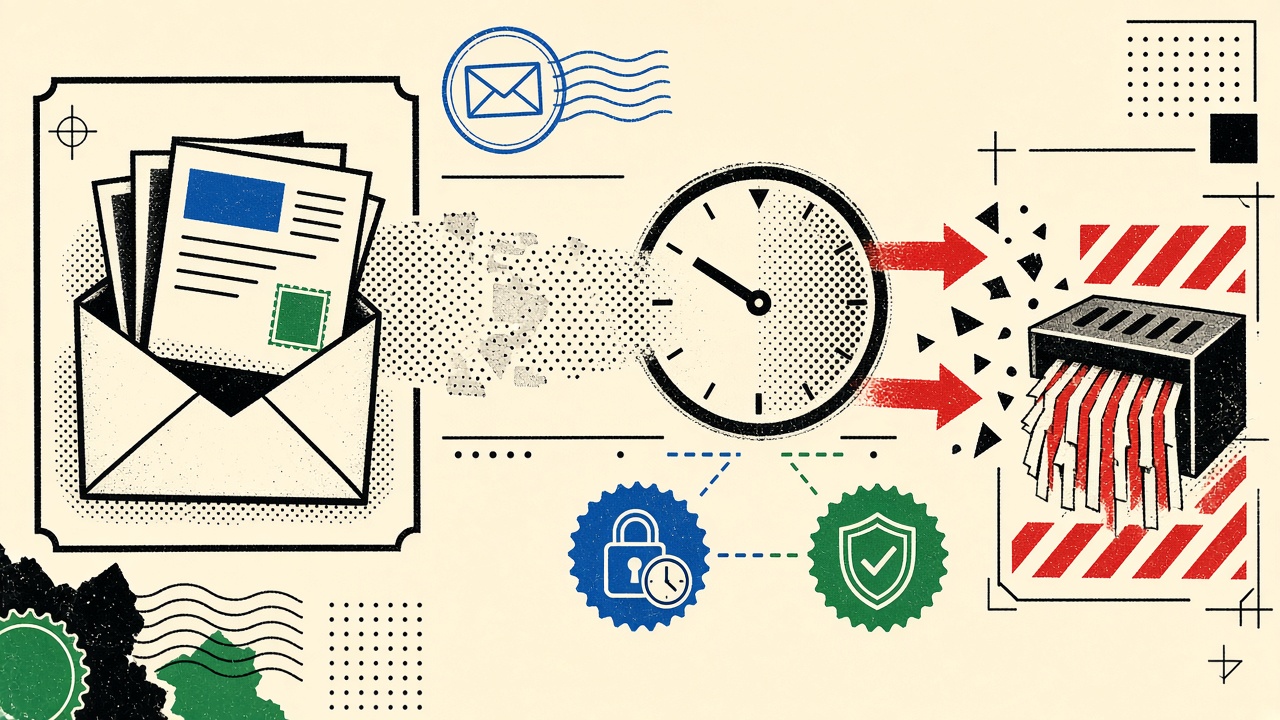
After first receipt in a temporary inbox, the message body does not become permanent mail. It remains readable until the plan’s retention deadline or until you delete the inbox—whichever comes first. The receive lease (accepting new mail) is a separate clock from message retention (keeping bodies). Opening a message once does not extend those clocks by magic.
This policy explainer sits under temporary email retention. For Mailby-specific public defaults, prefer data retention and privacy over assumptions copied from other temp-mail sites.
First receipt context and boundaries
“First receipt” means the MTA accepted the message and stored an object your session can read.
What readers often misunderstand:
- Reading ≠ forever
- Screenshot ≠ server deletion
- Address still visible to the sender ≠ you can still open the inbox later
Boundaries:
- Mailby Quick Inbox is session-bound; address alone is not a login forever (how it works).
- Free defaults are about one hour receive and retention unless a plan says otherwise—confirm live UI.
- Encryption at rest + TLS in transit; not E2EE.
- Never claim zero logs; security logs have their own short windows on the retention page.
Related product choices: alias vs temporary for newsletters.
Field demonstration (2026-09-24)
Working path: Open Quick Inbox, receive a test message, open body, note retention countdown. Before expiry, body readable; code extraction works. Delete inbox → access revoked; purge scheduled.
Limitation path: User assumes “I opened it, so it’s archived forever.” After retention, body gone. Export windows, when offered, are short—do not treat temp mail as a filing cabinet.
We do not publish internal ops knobs beyond the public retention table.
Mechanism (general principles vs Mailby public policy)
General temp-mail pattern: store encrypted blob keyed to inbox ID; TTL job deletes objects; address may be tombstoned to prevent reuse.
Mailby public classes (verify on /data-retention):
- Message bodies / attachments → plan deadline (Free: ~1 hour)
- Exports → short download window
- Raw IP security logs → hours
- Operational logs → days
- Address tombstones → HMAC anti-reuse without storing content
Opening the message may create extracts (OTP/link helpers). Those extracts follow purge when you delete—do not assume a parallel eternal cache.
Data item table
| Data item | Collected? | Access period | Deletion trigger | Verification method |
|---|---|---|---|---|
| Message body | Yes, to provide inbox | Until retention end | TTL or user delete | Open after wait; expect 404/empty |
| Attachments | If present | Same as body | Same | Attempt download post-TTL |
| OTP/link extracts | Derived on read | With inbox grants | Purge with inbox | UI clears after delete |
| Receive lease | Metadata | Until lease end | Lease expiry | New mail bounces/rejects |
| Address string | Needed for MX | While active + tombstone phase | Tombstone policy | Re-create attempt fails |
| Security logs | Limited | Hours–days | Log TTL | Policy page, not inbox UI |
Worked example
Sam receives a verification code in Quick Inbox at T+0.
- T+0–T+retention: reads body, copies code, finishes signup.
- Sam needs the welcome PDF later the same day → wrong tool; PDF should have gone to durable mail.
- Sam deletes inbox after success → correct hygiene.
Counterexample: Sam uses temporary mail for a store account → device replacement fails (shopping device replacement).
When a permanent address is safer
Anything you must prove, refund, or recover later. Extend clocks with Privacy Pro only when longer temporary retention is enough—not when you need years.
Short answers
What happens to the message body after first receipt?
It stays until retention ends or delete/purge—not indefinitely.
What should I do first?
Copy codes you need; export if offered; delete when done; read /data-retention.
When is a permanent address safer?
When the content has future value beyond the temp TTL.
What evidence changes the recommendation?
Live plan UI shows longer retention you actually need → maybe Privacy Pro; legal hold needs → durable provider.
Sources, test date, limitations
- Walkthrough 2026-09-24 against public Mailby retention copy.
- Authoritative pages: data retention, privacy, security.
- Limitation: plan SKUs change; always re-read pricing/retention before relying on a clock.
Mental model: two clocks, one inbox
Draw two timers on the inbox card:
- Receive until — new SMTP deliveries accepted.
- Retain until — existing bodies readable.
First receipt does not reset either timer unless the product UI explicitly offers an extend action. Reading a message is not “engaging your way into permanence.” If you need that behavior, you want a durable mailbox or a plan that documents extensions (pricing).
Extracts, previews, and derived copies
Modern temp inboxes may show OTP chips or sanitized HTML. Those are derived views. When purge runs, expect extracts to die with grants. Do not assume a second database keeps codes for analytics forever—and do not demand that as a user, either, if privacy is why you chose temporary mail.
How this differs from the temporary-email-retention hub
The hub covers retention strategy. This article focuses on message body state after first receipt, with a data-item table and Mailby public policy pointers. Internal defaults beyond the public table are out of scope by design.
Exports and the fifteen-minute mindset
If exports exist, treat them as emergency valves, not archives. Download promptly, store in your own encrypted drive if the content matters, and accept that temp mail is the wrong first hop for contracts. The short window is a feature for privacy, not a defect.
Compliance-sensitive content
Do not route health, legal, or children’s data through disposable inboxes. Retention short does not equal lawful basis covered. Use enterprise-grade systems with BAAs when required. Mailby positions as temporary receive tooling—see /privacy—not as a medical records vault.
User playbook after an important accidental receive
- Copy needed secrets offline immediately.
- Export if available.
- Move future traffic to durable mail.
- Delete the temporary inbox.
- Rotate any codes that might have been visible on a shared screen.
Operator transparency checklist (for any temp-mail vendor)
When evaluating tools, look for:
- Clear lease vs retention language
- Delete semantics
- Tombstone explanation
- Log retention windows
- No “guaranteed anonymity” hype
Mailby documents these on /data-retention and /security. Prefer vendors who publish tables over vendors who publish slogans.
Shared device and browser profiles
First receipt on a library computer leaves bodies on-screen and potentially in browser memory. Delete the inbox, close the tab, and avoid leaving QR codes of addresses on desks. Session-bound access helps relative to forever-public inbox URLs, but physical privacy remains your job.
Backups and legal discovery myths
Short retention reduces casual leakage; it is not a guarantee against lawful process on remaining logs or against someone who copied the body during the access window. Marketing that says “impossible to subpoena” is a lie—avoid those vendors. Prefer accurate tables.
Product changes and how to re-verify
When Mailby ships plan changes, re-read /data-retention and the live inbox countdown. Blog posts can lag; the product UI and policy pages win. This article’s test date marks editorial observation, not a contract.
Timeline diagram in prose
T+0 accept → body encrypted at rest → available in session UI → optional extract chips → retain timer continues → either user delete (immediate revoke + purge schedule) or TTL hit (body unreadable) → address tombstone may remain without content.
Nothing in that pipeline rewards “I opened it early.” Opening changes your screen, not the server TTL, unless the product explicitly documents an extend button.
Comparing vendors honestly
When reading competitor marketing, map their claims onto the table columns in this article: collected?, access period, deletion trigger, verification method. If they omit deletion triggers, assume worse than advertised. Prefer Mailby’s public table discipline even when evaluating others.
Developer angle
Apps under test should not rely on temp-mail bodies lasting across overnight CI. Provision per job and assert within minutes—see Selenium and Laravel guides. Human readers should not rely on overnight either; copy codes immediately.
Final habit
After every successful temporary verification: copy what you need, finish the task, delete the inbox. That habit aligns user behavior with how the storage lifecycle actually works.
Screenshot paradox
People screenshot OTPs “for later,” then leave photos in camera rolls synced to cloud forever—defeating temporary retention. If you must capture, use an ephemeral note you delete, or better, use the code immediately. The server TTL cannot save you from your camera roll.
API consumers and retention
Developer API inboxes inherit plan retention. Automations that fetch bodies must finish inside the window and delete inboxes afterward. Leaving hundreds of open inboxes is both cost and privacy noise. Build teardown into the client SDK examples you keep internally.
Appendix: questions to ask any temp-mail UI
- Where is the retain-until clock?
- Does open extend it?
- What does Delete remove?
- Are extracts retained separately?
- Is there an export and how long?
If the UI cannot answer (1) and (3), do not trust it with anything you cannot lose in an hour.
Closing decision rule
Treat first receipt as the start of a countdown you can see in the product UI, not as archival. Copy, act, delete. Move anything with future value to durable mail before the retain-until clock wins. When in doubt, read /data-retention again—the table beats memory.
Why tombstones exist without storing bodies
Anti-reuse tombstones stop the same address from bouncing between strangers after purge. They are not a secret archive of your message content. If a vendor stores full bodies forever while advertising “temporary,” that is a different product—leave. Mailby’s public materials separate HMAC tombstones from content retention for this reason.
Reader checklist
- Find retain-until in the UI
- Copy codes immediately
- Do not treat open as archive
- Export only if needed, then store yourself
- Delete inbox when done
- Re-read /data-retention after plan changes
Conclusion
First receipt starts two clocks: accept and retain. Bodies are temporary by design. Read the public retention table, use durable mail for durable needs, and open Quick Inbox when short-lived receiving is the point—not an accident.
Try it on Mailby
Open a receive-only disposable inbox when a short-lived address fits the job — session-bound, with timed purge.