
Choosing an email privacy tool
Is plus addressing right for a long-term shopping account?
Plus addressing helps filter shopping mail on a durable mailbox, but merchants may strip tags—use real aliases or temp mail only for throwaway shops.
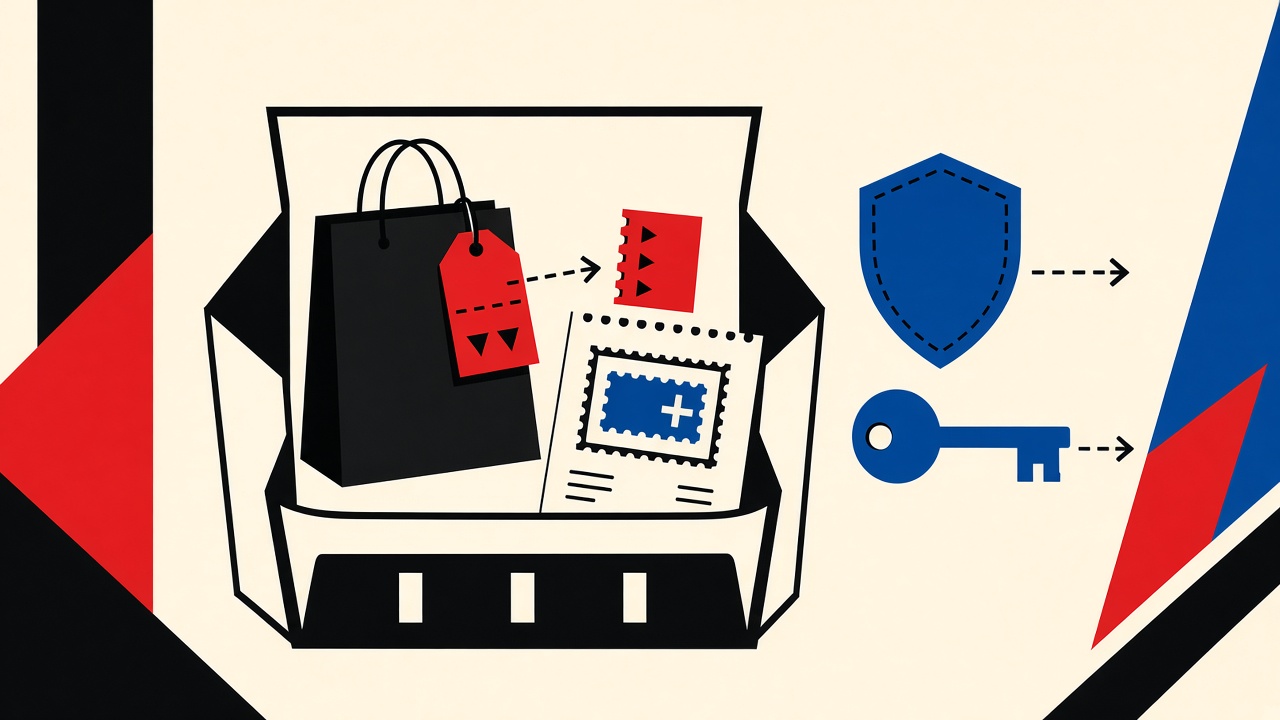
Plus addressing is a reasonable default for long-term shopping accounts when your provider supports it and you need filters—not expiry. It keeps recovery on a mailbox you control. It fails when merchants strip the +tag, when you need true separation of credentials, or when the shop is throwaway. Temporary receive-only mail wins only for disposable interactions with no order history you must keep.
Long-term shopping context
“Long-term shopping account” means: saved addresses, order history, warranty, returns, loyalty points, stored payment methods. You will need password resets months later. Device changes happen. Fraud alerts arrive without warning.
Plus addressing (also called subaddressing) uses forms like you+shopname@example.com that still deliver to you@example.com when the provider implements RFC 5233-style local-part extensions.
Boundaries:
- Mailby Quick Inbox does not replace a shopping identity you must recover
- Mailby does not send from plus-addresses
- Privacy Pro extends retention for disposable vaults—still not a bank-grade shopping mailbox (/pricing)
Trade-off table
| Option | Available later? | Replies? | Control | Risk for this job |
|---|---|---|---|---|
| Primary inbox | Yes | Yes | High | Maximum reuse / noise |
| Plus addressing | Yes (same mailbox) | Yes (usually) | Medium (filters) | Merchants strip +tag; correlation to base |
| Provider aliases | Yes | Yes | High | Quota / paid feature |
| Custom domain aliases | Yes | Yes | Highest | DNS/ops cost |
| Temporary Quick Inbox | No after expiry | No (receive-only) | Low long-term | Lost returns & resets |
| Forwarding-only masks | Depends on vendor | Sometimes | Vendor-specific | Vendor lock-in; still not Mailby |
Mechanism and failure cases
Working path: Create you+store@example.com → filters label “Store” → reset password years later still hits your inbox → returns workflow intact.
Failure path (annotated fixture): Merchant CRM normalizes local parts and stores you@example.com, discarding +store. Filters never see a unique address. Sales append systems match the base address across merchants anyway. Plus addressing gave weaker isolation than expected.
Second failure: User registered a store with a temporary inbox to “avoid spam,” ordered a sofa, then lost the inbox before delivery exceptions. Carrier emails bounced into the void. Wrong tool for a long-horizon purchase.
Worked example: deciding for a major retailer
Scenario: You buy appliances and want quiet filters without losing warranty mail.
- Prefer plus-address or dedicated alias on a durable provider.
- Enable 2FA on the retailer account.
- Store recovery codes offline.
- Use Quick Inbox only for one-click coupon sites you will never reorder from.
- Never put payment method updates exclusively on a disposable address.
Evidence that changes the call: if the retailer rejects + characters at validation time, switch to a full alias (store@yourdomain.com) rather than fighting the form.
Retention, recovery, deliverability, cost
| Concern | Plus addressing | Temp inbox | Custom alias |
|---|---|---|---|
| Retention | Your mailbox policy | Short clocks—/data-retention | Your mailbox policy |
| Recovery | Strong | Weak after purge | Strong |
| Deliverability | Same as base domain | Disposable domains often blocked | Depends on domain reputation |
| Cost | Usually free | Free tier / paid vault | Domain + possible alias product |
| Forwarding | N/A (same box) | Mailby does not forward | Optional |
Safer alternatives by job
- Keep shopping long-term: plus-address or real alias
- Throwaway flash sale site: Quick Inbox
- High-value / frequent returns: dedicated shopping mailbox
- Reduce cross-site joins: unique aliases beat plus-tags when merchants strip tags—see email reuse in community registration
- Travel trials with bookings: durable mail—travel free trial guide
Product landscape: /features, /how-it-works.
How this differs from an email-privacy-tools hub
The hub compares tool classes. This page evaluates plus addressing specifically for long-term shopping, with merchant tag-stripping and sofa-delivery counterexamples.
Short answers
What causes plus-addressing disappointment? Servers that normalize away the tag; users who expected anonymity rather than filtering.
What should I do first? Check whether the shop accepts + and whether you need multi-year recovery.
When is a permanent address safer? Always for paid orders you might return or refinance.
What evidence changes the recommendation? + rejected, high order value, or regulated purchases (identity verification).
Sources, test date, limitations
- Editorial evaluation: 2026-09-24
- RFC 5233 Subaddressing
- Provider docs vary (Gmail, Fastmail, etc.)—verify your host’s plus-address behavior
- Mailby: /inbox, /pricing, /privacy
Limitations: Merchant CRM behavior is not standardized. We do not claim plus-addresses are invisible to the base mailbox operator (they are the same mailbox).
Providers that support plus addressing well
Major consumer providers often deliver user+tag@ to user@. Corporate Google Workspace and Microsoft 365 behavior depends on admin settings; some organizations disable plus-address variants or treat them as distinct for outbound only. Before standardizing your shopping strategy on plus-tags, send yourself a test from an external account and confirm delivery + filter rules.
Fastmail, Proton (with caveats), and many custom-domain setups offer either plus-tags or true aliases. True aliases are stronger when merchants normalize local parts.
Fraud, chargebacks, and evidence trails
Chargeback and fraud workflows ask for email receipts. If your shopping identity lived in a purged temporary inbox, assembling evidence is painful. Plus-address mail remains in your durable mailbox search. That alone is a decisive argument for long-term shops.
Loyalty programs and account merges
Retailers merge accounts aggressively when they detect matching phone numbers, device graphs, or normalized emails. Plus-tags may not prevent merges if the base address matches. If your threat model requires strong separation between “personal grocery” and “business office supplies,” use distinct aliases or domains—not only tags.
Gradual migration plan
Already used your primary inbox for a dozen shops?
- Create
shopping@or plus-tag going forward. - Change email on high-value retailers first (2FA, receipts).
- Leave dormant shops alone until you next log in.
- Keep primary for banking and government only.
Do not mass-create temporary inboxes for existing paid accounts—you will strand resets.
When disposable still wins
Popup shops, conference expo coupon walls, and “enter email to see the price” dark patterns deserve Quick Inbox. The rule is horizon: if a package might ship, durable wins; if nothing of value can arrive later, disposable wins.
International merchants and form validation
Some regional checkouts validate email with brittle regex that rejects +. Others accept Unicode internationalized addresses poorly. Carry a backup alias without plus-tags when you shop internationally. Keep that alias inside the same durable mailbox strategy so recovery remains intact.
Gift accounts and household sharing
Households that share Amazon-like accounts should agree which durable address owns recovery. Plus-tags per person help filters but do not create separate legal accounts. Temporary inboxes make shared ownership even worse—nobody can reset after expiry.
Returns portals and secondary emails
Some retailers let you set a separate “returns notifications” email. Keep that durable too. Mixing a disposable returns address with a durable login address creates asymmetric failures: you can log in but cannot see RMA shipping labels.
Marketplace seller accounts vs buyer accounts
Seller accounts on marketplaces are business continuity objects: tax forms, suspension appeals, payout notices. Never use temporary mail. Plus-addressing is acceptable only if the marketplace retains the full local-part; many do not. Prefer a dedicated seller alias monitored daily.
Filter recipes that make plus-addressing worthwhile
Create a filter: if To: contains +shop, apply label Shopping / skip inbox / never spam. That workflow is the actual product benefit. Without filters, plus-tags are cosmetic. Spend five minutes on filters the day you adopt the strategy. Revisit when a merchant strips tags—those messages arrive without the + and need a from: filter instead.
Accounting for gift cards and store credit
Store credit notices may arrive years later. Temporary mail guarantees loss. Plus-addressing keeps them searchable. If you buy gift cards for others, ensure the receipt address is yours and durable even if the gift email goes to the recipient.
Warranty registrations and manufacturer portals
Buying through a retailer and then registering a warranty with the manufacturer often creates a second account. Use the same durable shopping alias for both so recall notices and warranty PDFs land together. Plus-tags per manufacturer work if filters are maintained; otherwise one shopping alias is simpler.
Marketplace used-goods risk
Peer-to-peer marketplaces combine shopping continuity with personal safety. Durable mail helps preserve dispute history. Temporary mail may be fine for a one-time browse, but the moment you bid or list, switch. Payment and shipping exceptions need searchable mail.
Subscription boxes and recurring charges
Recurring commerce is definitionally long-term. Plus-addressing helps you see which box is charging you when statements are vague. Temporary mail guarantees you will miss “we’re raising prices” notices.
Reader takeaway box
Match the tool to the downside. Temporary receive-only mail excels at short verification and throwaway curiosity. Durable addresses and aliases excel at recovery, money, travel, and reputation. Product pages: /inbox, /pricing, /data-retention, /security, /developers, /how-it-works.
Mobile checkout keyboards and plus signs
Some mobile webviews make entering + awkward or autocorrect it away. If shoppers in your household struggle, issue a true alias without special characters. Usability failures silently push people back to primary-inbox reuse.
Secondhand device and shared-browser shopping
Public or shared computers should not remain logged into shopping accounts. Durable mail still helps remote logout emails arrive. Temporary mail cannot receive “new login” alerts after expiry—another long-term reason to avoid it for shops you keep.
Comparing cost across a year
Assume twelve merchants. Primary-inbox reuse costs attention and breach blast radius. Plus-addressing costs a few minutes of filter setup and occasional tag stripping. True aliases cost a domain or provider alias slots. Temporary inboxes cost almost nothing until a return or warranty fails—then the cost spikes. For long-term shopping, expected cost favors durable strategies even when temporary mail feels cheaper at signup time.
Decision one-liner
If the package can ship or the warranty can matter, choose durable mail (plus-tag or alias). If the site is a coupon wall you will never revisit, Quick Inbox is enough. Everything else is commentary on that line.
Why this is not the privacy-tools hub
The tools hub compares categories. This page settles one comparison: plus addressing versus disposable and full aliases for shopping you intend to keep—including the merchant tag-stripping failure mode.
Support scripts for confused shoppers
If a friend asks whether to “just use temp mail for Amazon,” the short answer is no for any account with orders. Point them at durable aliases, mention tag stripping, and reserve Quick Inbox for coupon walls. Clarity beats privacy theater when packages are on the line.
Conclusion
For long-term shopping, plus addressing is a filter strategy on a durable identity, not a disposable vault. Use it when recovery matters and tags survive. Use real aliases when you need stronger separation. Use Quick Inbox only when temporary receiving wins the comparison—never for the sofa, the warranty, or the chargeback email.
Try it on Mailby
Open a receive-only disposable inbox when a short-lived address fits the job — session-bound, with timed purge.