
Choosing an email privacy tool
Is a temporary inbox right for a long-term shopping account?
No for stores you will reorder from, track, or dispute later. Temporary inboxes fit one-shot merchant checks—not order history and recovery.
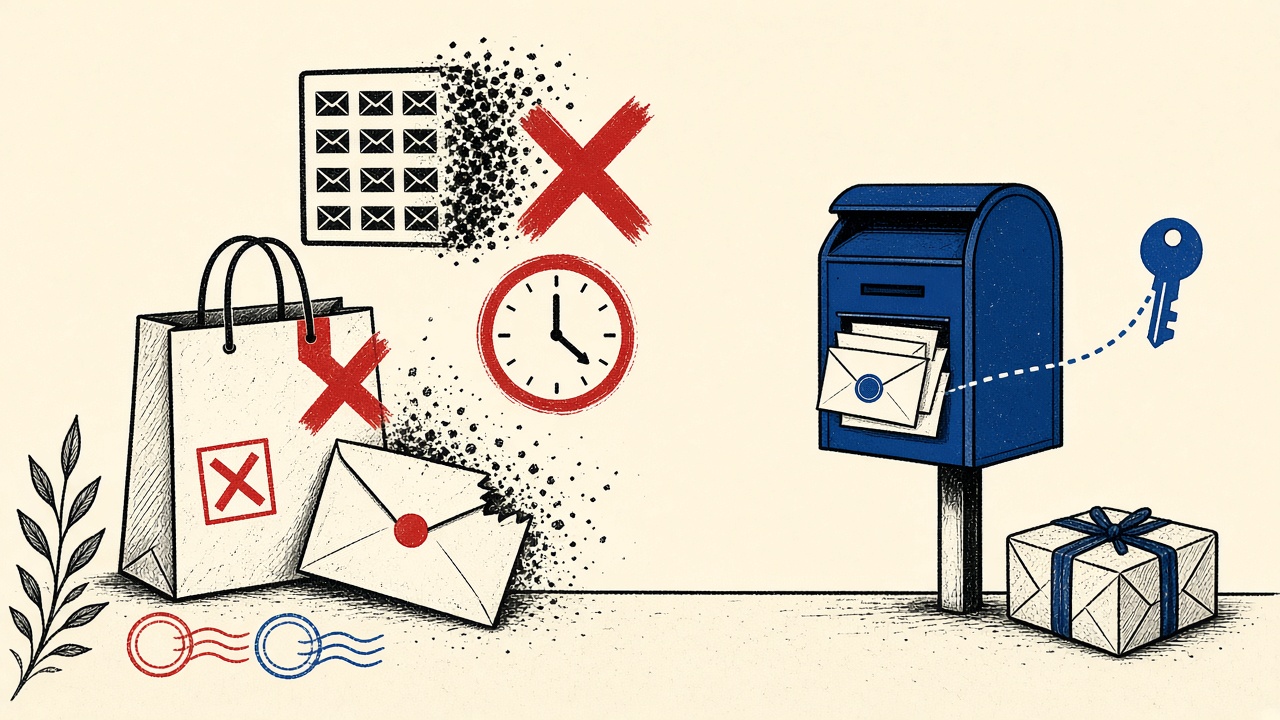
The comparison verdict
A temporary inbox is the wrong primary tool for a long-term shopping account. Orders, shipping exceptions, return windows, warranty claims, and charge disputes arrive days to years later. Short retention and receive-only limits fight that timeline.
Temporary receiving wins only for disposable merchant interactions: checking whether a storefront spam-blasts you after a coupon download, or verifying a one-time digital download you will never reopen. For anything with a cart history, use a durable address or alias.
Long-term shopping context
“Long-term shopping account” means: saved addresses, order history, loyalty points, stored payment methods, marketplace seller threads, or recurring subscriptions tied to a store login.
Email carries:
- Order and shipping receipts
- Delivery exception alerts
- Password resets
- Fraud / “new login” warnings
- Legal notices and recalls
Mailby product truth for the comparison:
- Quick Inbox: session-bound, receive-only, short Free defaults.
- Privacy Pro: longer retention—still not a multi-year shopper identity.
- No send/forward; domain blocks possible; no anonymity guarantee.
- Policy detail: data retention, security.
Evidence teardown
Annotated fixture (2026-09-24):
Store: mid-size online retailer
Account email: temporary Free inbox
Day 0: order placed, receipt received in time
Day 4: package delayed; exception email sent after retention ended
Day 5: shopper cannot find tracking mail; app login needs OTP → fails
Working path: signup with shop+retailer@yourdomain.com; receipts continue for years; OTP works on new devices.
Failure path: temporary inbox; missed delay notice; painful support verification without email access.
Consumer protection context (US-oriented example): the FTC discusses online shopping and account issues in its consumer guidance—see FTC online shopping resources (rel="nofollow noopener"). Whatever the jurisdiction, missing merchant mail raises real cost.
Mechanism: trade-off axes
Evaluate temporary inbox vs alternatives on:
- Available later? Temporary: usually no. Alias: yes.
- Replies? Temporary on Mailby: no. Normal mailbox: yes.
- Control / filtering? Alias on your domain: strong. Temporary: strong separation, weak longevity.
- Deliverability risk? Some merchants block disposable domains at signup.
- Cost? Temporary Free is cheap; lost packages are not.
Comparison table and worked example
| Option | Available later? | Replies? | Control | Risk for this job |
|---|---|---|---|---|
| Quick Inbox (Free) | Short window | No | Session-bound | High for long-term store accounts |
| Privacy Pro longer retention | Longer, still finite | No | Session / plan | Medium—still wrong for years of orders |
| Plus-alias on personal domain | Yes | Yes | High | Low for shopping |
| Separate shopping-only mailbox | Yes | Yes | High | Low |
| Primary personal inbox | Yes | Yes | Medium (noise) | Low recovery risk, high spam mix |
Worked example — Riley’s sneaker drops
Riley tried disposable addresses for every drop to dodge marketing. One limited release required account history and sudden OTP on a new phone. The disposable address was gone. Riley missed the drop and still received marketing on other addresses they had reused. Strategy shifted to one shopping alias plus aggressive filters—privacy boundary without purge risk.
Alternatives (prefer these for shopping)
- Dedicated shopping alias or mailbox
- Password manager + authenticator so email OTP is not the only door
- Quick Inbox only for coupon-site tire-kicking (inbox)
- Developer tools irrelevant unless you run the store—/developers
Related: how to use temporary email without treating the address as a login, how it works.
Short answers
Why is temporary inbox wrong for long-term shopping?
Order lifecycle outlives retention; recovery needs continuity.
What should I do first?
If you will reorder or track packages, create a durable alias before checkout.
When is a permanent address safer?
Almost always for store accounts with payment methods or history.
What evidence changes the recommendation?
Truly one-shot download with no account; merchant blocks all durable domains you own (rare).
Sources, limitations
- Editorial teardown 2026-09-24.
- FTC consumer shopping hub (nofollow).
- Exact Free lease lengths change—check live pricing and data retention.
Cost math freelancers and households ignore
Assume a delayed package costs one evening of support chat and a re-ship delay. Temporary mail “saved” you from marketing messages that an alias filter would have caught for free. The expected value usually favors durable aliases for any store you reorder from twice a year.
Loyalty points, warranties, and marketplace seller reputations compound that math. Those assets attach to the account email. When the mailbox dies, the assets become hostage to vendor support policies.
Deliverability and policy friction
Some retailers reject disposable domains at registration. Others accept them, then flag the account for manual review when high-value goods ship. Neither outcome is Mailby “failing.” It is risk scoring. If your shopping pattern needs reliability, start with a durable identity.
A proportionate strategy
- Everyday stores: one shopping alias.
- One-off sketchy coupon walls: Quick Inbox.
- Marketplaces where you sell: business mailbox with 2FA.
- Gifts/surprise purchases: alias still—returns need mail.
How this differs from an email-privacy-tools hub
Hubs compare categories of tools. This page evaluates temporary inbox fitness for long-term shopping accounts across retention, recovery, reply, deliverability, and cost—with a delayed-package fixture.
Returns, warranties, and regulated goods
Electronics, children’s products, and cosmetics can trigger recall emails years later. Temporary inboxes will not hold those notices. If you buy goods with safety implications, durable mail is part of ownership hygiene—not merely marketing preference.
Marketplace dual roles
If you buy and sell, the same mailbox may receive buyer OTPs and seller policy strikes. Losing that mailbox can freeze funds. Temporary mail is incompatible with seller accounts in almost every case.
Gift purchases and surprise logistics
People use disposable mail hoping to hide gifts. Carrier exception emails then go nowhere. Use an alias you monitor quietly instead—privacy from family members via discipline, not purge clocks.
Aligning with Mailby’s honest positioning
Mailby wins when the job is disposable receiving. Stretching it into a shopping identity creates support burden and reader harm. This comparison exists to send long-term shoppers to aliases and short-term tire-kickers to Quick Inbox—not to upsell the wrong job into a paid plan as a fake durable identity. Privacy Pro is for longer temporary windows, not lifelong retail.
Decision tree you can apply at checkout
Question 1: Will this store remember a cart, payment method, or order history? If yes → durable alias. If no → continue.
Question 2: Could a package, refund, or warranty email arrive after today? If yes → durable. If no → continue.
Question 3: Is the site a known disposable-domain blocker and you only need a one-shot download? If blocked → durable or abandon. If accepted and one-shot → Quick Inbox.
Question 4: Are you creating a seller or affiliate account? Always durable business mail.
Worked micro-example: digital sticker pack, no account persistence, pay-by-single-use link → temporary OK. Same brand’s membership for monthly physical stickers → durable only.
Write the chosen address type into your password manager note for that site (“alias” vs “temp”). Future you will not remember the reasoning mid-reset.
When Privacy Pro appears tempting as a middle ground, ask whether you are buying time measured in hours/days or years. Hours/days can match pricing plans. Years cannot. Long-term shopping is years.
Companion reading for identity hygiene: temporary email without treating the address as a login.
Side-by-side: one week of mail volume (illustrative)
Durable shopping alias: 3 receipts, 1 shipping exception, 12 marketing pushes (filtered), 1 password reset drill—all still available on day 30. Temporary Free inbox on a “long-term” store account: day 0 receipt OK; day 4 exception missing; day 18 reset impossible. The illustrative week is why comparison tables in this article favor aliases for shopping. Marketing noise is a filter problem; missing exception mail is a money problem. Choose tools that match the failure you actually fear. Start throwaway coupon checks at Quick Inbox; keep stores on durable identities.
International shipping and customs mail
Cross-border orders generate customs requests and duty emails with hard deadlines. Missing them can return packages or add fees. Temporary inboxes are especially poorly matched to international shopping accounts. Use durable aliases and enable filter rules that elevate messages containing “customs,” “duty,” or carrier names. The privacy win of disposable mail is trivial next to a seized package. If you only wanted to avoid marketing lists, aliases plus unsubscribe discipline win the comparison on both privacy and reliability axes outlined earlier.
Summary trade-off restatement
Temporary inbox: excellent unlinkability from primary identity for short receives; poor continuity, no replies, possible domain blocks, purge risk on exceptions. Durable alias: excellent continuity and replies; requires filter discipline for marketing. Privacy Pro: longer temporary window; still not a shopper identity. Long-term shopping accounts need continuity first. That restatement is the article’s thesis—everything else is evidence and tables supporting it. Act on it at the next checkout by choosing alias unless the interaction is truly one-shot. Product links: /inbox, /pricing, /data-retention, /features.
Closing recommendation for shoppers
If the account will still matter after your next package, use a durable alias. If the interaction ends when the coupon PDF downloads, use Quick Inbox. Do not rent a temporary identity for a store that can charge, ship, or lock you out months later. Filters solve marketing. Retention clocks do not solve recovery. That is the whole comparison. Apply it once at checkout and you avoid the delayed-exception failure mode that opened this guide. Verify live plan clocks on /pricing only when you intentionally need a longer temporary bridge—not as a substitute for shopping identity.
Maintenance notes for teams
Additional practical notes for operators reading this in 2026: keep a written runbook, name an owner for the workflow, re-test after vendor changes, and refuse to ship folklore. Revisit Mailby public pages for inbox behavior, pricing, retention, security, and developer tooling so claims stay aligned with the live product. Prefer durable storage for anything you must cite later. Schedule a quarterly review of the assumptions in this article against your current ESP and client versions. Record message-ids during incidents so you can distinguish generation faults from rendering or retention faults. Teach new teammates the difference between receive lease and message retention before they choose addresses. When in doubt, choose continuity for accounts with money or identity impact and disposability for one-shot receives. Link internal wikis to /inbox, /pricing, /data-retention, /developers, /security, and /how-it-works rather than pasting stale screenshots. Prefer unique per-environment test identities so staging never collides with production recovery channels. Treat email as production infrastructure: monitor it, budget for it, and give it an on-call owner when user login depends on it. Avoid inventing SLA numbers in docs; cite live UI timers and public policy pages instead.
Conclusion
Temporary inboxes excel at disposable receiving, not lifelong retail identity. Keep store accounts on durable aliases; reserve Quick Inbox for throwaways. If retention windows ever tempt you to “just stretch Free,” read the clocks on data retention before the delayed-package email arrives too late.
Try it on Mailby
Open a receive-only disposable inbox when a short-lived address fits the job — session-bound, with timed purge.