
Retention and data lifecycle
What happens to the message body after manual clear in a temporary inbox?
Manual clear revokes access and schedules purge of message bodies; verify against Mailby’s public retention policy—not assumptions about instant global erasure.
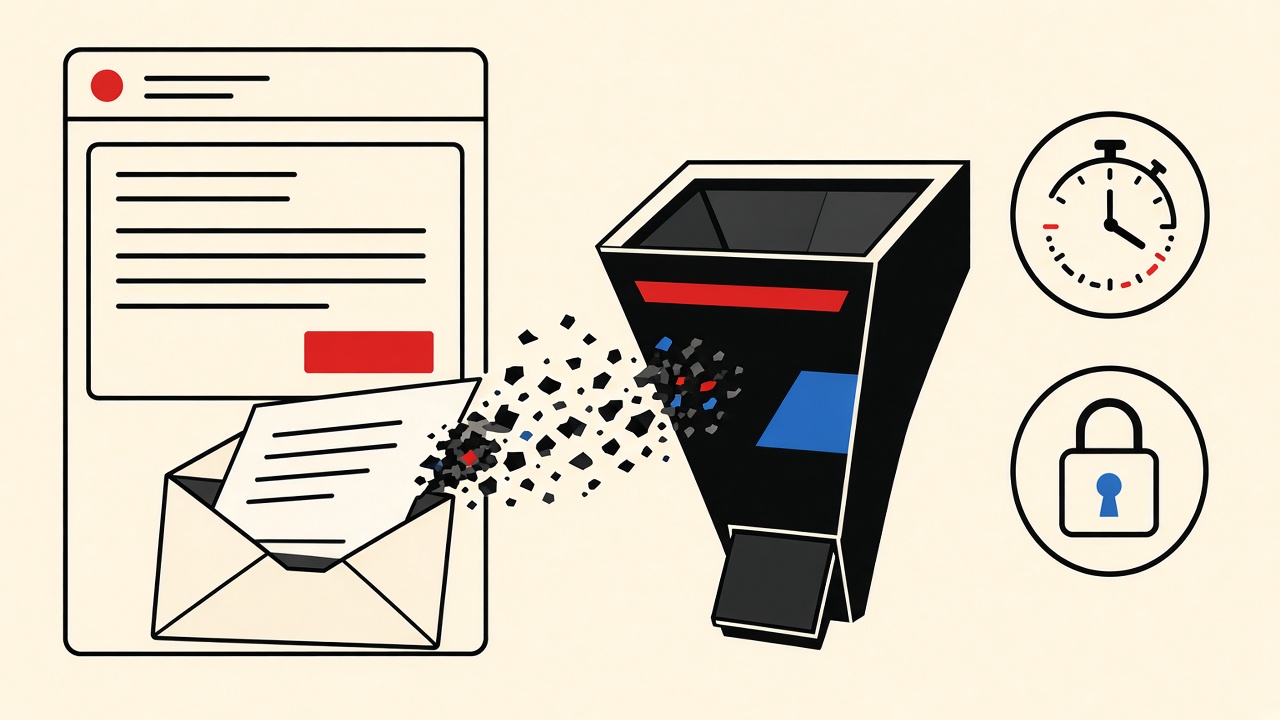
After you manually clear or delete a temporary inbox, access ends immediately and message bodies are scheduled for purge according to the provider’s retention design—not necessarily vaporized from every backup in the same second. On Mailby, deleting a disposable inbox revokes access right away and schedules purge of objects, extracts, and grants; read the live data retention and privacy pages for class-by-class defaults. Do not treat marketing slogans as forensic guarantees.
This explainer is the manual-clear cut of temporary email retention.
Manual clear context and boundaries
People clear inboxes because:
- They finished an OTP
- They want less residue on a shared computer
- They are done evaluating a newsletter
Boundaries:
- We distinguish general lifecycle principles from Mailby’s verified public policy.
- We do not publish internal undocumented defaults as user promises.
- Encryption at rest + TLS in transit ≠ end-to-end encryption with senders.
- Receive lease ≠ message retention—two clocks (data retention).
Demonstration: working path and counterexample
Working path. Open /inbox, receive a message, read the code, delete the inbox. UI access fails afterward. You cannot refresh your way back into the bodies.
Counterexample / limitation. Assuming “deleted” means every backup replica worldwide is gone instantly—or that the sender deleted their copy. Manual clear affects the receive-side store you control access to, not the ESP that sent the mail.
Lifecycle table
| Data item | Collected? | Access period | Deletion trigger | Verification method |
|---|---|---|---|---|
| Message bodies / attachments | Yes (encrypted at rest) | Plan window (Free ~1h) or until delete | Manual delete / retention deadline | Access denied after delete; see policy |
| OTP extracts | Derived | Same as message window | Purge with objects | UI no longer shows extract |
| Exports | If you create one | Short download window (≤15 min per public table) | Expiry | Link fails after window |
| Raw IP security logs | Abuse defense | ~24 hours (public table) | Log rotation | Not user-readable content |
| Operational logs | Yes | ~7 days | Retention | Internal ops only |
| Address tombstones | HMAC anti-reuse | While needed | Policy | Address not reissued |
| Sender’s copy | On sender systems | Their policy | Their systems | Out of Mailby scope |
Mechanism and failure cases
Typical receive-side lifecycle:
- SMTP accept → store encrypted object + metadata
- Session authorization to read
- Optional extract (codes/links)
- Manual clear or clock expiry → revoke grants → purge objects
- Backups may exist for a short window with deletion-ledger replay (see public retention page)
Failure cases in user mental models:
- Believing clear stops the sender from emailing again (it does not)
- Believing clear equals legal non-processing everywhere
- Clearing then expecting Instant Resume of the same address (tombstones may prevent reuse)
Concrete example
You used a Free inbox for a signup code. After success, delete immediately rather than waiting the hour. That minimizes local residue on the device and shortens server-side access. If you need longer windows for slow trials, use Privacy Pro—still with the same purge-on-delete model.
Alternatives when durable storage is required
- Personal mailbox with user-controlled deletion
- Password manager notes for codes you must keep (careful)
- Self-hosted capture for app QA
- Exports downloaded within the allowed window, then stored under your retention policy
Short answers
What happens to the message body after manual clear?
Access is revoked and purge is scheduled per provider policy; sender copies remain theirs.
What should I do first?
Delete when finished; confirm you no longer need receipts in that inbox.
When is a permanent address safer?
Whenever you must prove message contents later (purchases, legal, HR).
What evidence changes the recommendation?
You need an audit trail—stop using temp mail for that workflow.
Sources, test date, and limitations
- Mailby data retention, privacy, security as of 2026-09-24.
- General privacy rights vary by jurisdiction; this is product lifecycle education, not legal advice.
How to verify deletion as a user (practical, not forensic)
You can verify access revocation:
- Delete the inbox in the UI.
- Attempt reload / reopen — should fail.
- Confirm you kept no local screenshots you did not intend to keep.
You generally cannot personally verify every replica purge without trusting the provider’s policy and security posture. That is why public retention tables and trust-center material matter—read them before high-sensitivity use cases. For enterprise questionnaires, start from /security.
Separating “clear message” from “delete inbox”
Some products offer per-message delete vs whole-inbox destroy. Prefer whole-inbox delete when the session’s purpose is finished; it removes grants and extracts together. Per-message delete is for tidying during an active lease.
Developer note
API-created inboxes should be deleted in teardown hooks so CI does not accumulate residue. See /developers. Humans finishing a one-off OTP should delete from /inbox. For the wider retention story, return to temporary email retention and how it works.
Mental model: access vs existence vs someone else’s copies
Three different statements get smashed into the word “deleted”:
- You can no longer access the body — should be true immediately after a proper inbox delete on Mailby.
- All offline copies in the provider’s storage systems are gone — happens through purge pipelines and backup windows described publicly at a class level, not as a stopwatch you can watch.
- Every other system that ever saw the content forgot it — false. Senders, ESPs, and any place you pasted the code still have whatever they stored.
Clear-eyed users optimize for (1) and read policy for (2). They never assume (3).
Shared computers and screenshots
Manual clear on the server does not remove screenshots in Photos, OCR history, or browser page caches on the device. Include local hygiene in your clear ritual: close the tab, clear the profile if it was a throwaway, and avoid photographing OTPs.
Compliance language discipline
Do not tell customers or journalists that Mailby (or any temp-mail tool) provides “guaranteed instantaneous global erasure” unless a published control says exactly that. Point to data retention, privacy, and security. Overclaiming creates legal and trust debt.
Tombstones and address reuse
After purge, address tombstones may prevent the same local-part from returning to the pool for a period. That protects later users from receiving late mail meant for you—and prevents you from “getting the address back.” Design workflows assuming one-way delete.
Developer teardowns
CI must call delete APIs for every allocated inbox. Leaked inboxes in shared projects are a data-hygiene bug. Start from /developers and bake teardown into fixtures.
When not to use temporary mail if you need the body later
Legal holds, dispute evidence, HR correspondence, and financial receipts belong in durable systems with exportable archives. Temporary inboxes are for short proofs—OTP arrived, template rendered, link worked—then clear.
Closing
Manual clear is the right ending for a disposable session. Know what it guarantees (revoked access, scheduled purge) and what it does not (sender amnesia, forensic proof without trusting policy). For clocks and classes, trust the live retention table over blog memory, and revisit temporary email retention when policies update.
Comparing Free clear vs plan retention
On Free, clocks are short (~1 hour defaults unless deleted earlier). Manual clear still matters: it ends access now instead of leaving a readable body until the clock finishes. On Privacy Pro, longer windows increase the value of proactive clear when a session ends early (pricing).
Exports before clear
If you must keep a message, export within the allowed window, store it under your own policy, then clear the inbox. Do not rely on remembering to come back tomorrow.
Multi-tab races
Deleting an inbox while another tab still shows cached HTML can look like “delete failed.” Trust a hard refresh after delete; cached DOM is not server access.
Abuse and legal process
Providers may retain limited security logs beyond message bodies. That does not mean your newsletter OTP lives forever; it means abuse defense exists. Read privacy for categories. Do not invent “zero logs” claims.
Operator FAQ (short, precise)
Does clear stop marketing? It stops your access to old messages. Senders may still email the address until the receive lease ends; after lease/tombstone behavior, delivery should fail for new mail per policy.
Can Mailby staff read my cleared mail? Trust the published security/privacy posture: encryption at rest, least-privilege ops, retention windows. No product should ask you to believe magical claims beyond that.
Is clear the same as GDPR erasure? Jurisdiction and request type matter; use official privacy channels for formal requests. Manual clear is a product control, not a legal determination.
Writing internal policies for teams using temp mail
If employees use disposable inboxes for vendor evaluations, write when it is allowed (no customer PII, no paid accounts) and when it is forbidden. Point them to data retention so expectations match reality.
Final synthesis
Message bodies after manual clear follow revoke-then-purge mechanics. Verify access loss yourself; read public retention for classes and backup windows; never assume sender-side erasure. Prefer durable stores when the body is evidence. Start sessions at /inbox, end them with delete, and keep policy pages bookmarked.
Appendix: aligning product UI copy with lifecycle truth
Product and support teams should describe delete actions with verbs users can test: “You will lose access immediately; content is scheduled for purge per our retention policy.” Avoid absolute metaphors (“gone from the universe”) that overpromise. Link the retention table from the delete confirmation modal so curious users can self-serve.
Engineers implementing clear should revoke grants before enqueueing purge jobs, so a slow worker cannot leave a readable window after the UI promised deletion. Test that ordering. Readers of this article can sanity-check access revocation; they should not need to understand your queue internals to trust the basics.
Extended reader scenario: OTP then clear
You open /inbox, receive a bank-like OTP for a throwaway fintech trial (not your real bank), copy the code, finish signup, and delete the inbox immediately. Access fails on refresh. You do not screenshot the code into iCloud. You do not forward the message. Residuals on the receive side follow purge scheduling per data retention. The fintech still has whatever their systems stored—expected. You optimized the part you control.
Closing practice notes for manual clear
Delete when the session’s job is done. Confirm access is gone. Read data retention for class-level purge and backup windows. Do not confuse receive-side clear with sender-side erasure. When the message body is evidence, you were in the wrong tool—use durable storage next time, and keep temporary inboxes for short proofs that end in delete.
When writing support macros, link retention and privacy pages rather than paraphrasing from memory. Policies change; macros should follow the live documents on mailby.app.
Try it on Mailby
Open a receive-only disposable inbox when a short-lived address fits the job — session-bound, with timed purge.