
Inbound email operations
Incorrect MX target on first deploy: inbound mail runbook
If inbound mail fails after deploy, verify MX hosts and priority with dig before touching app code—rollback DNS when the target is wrong.
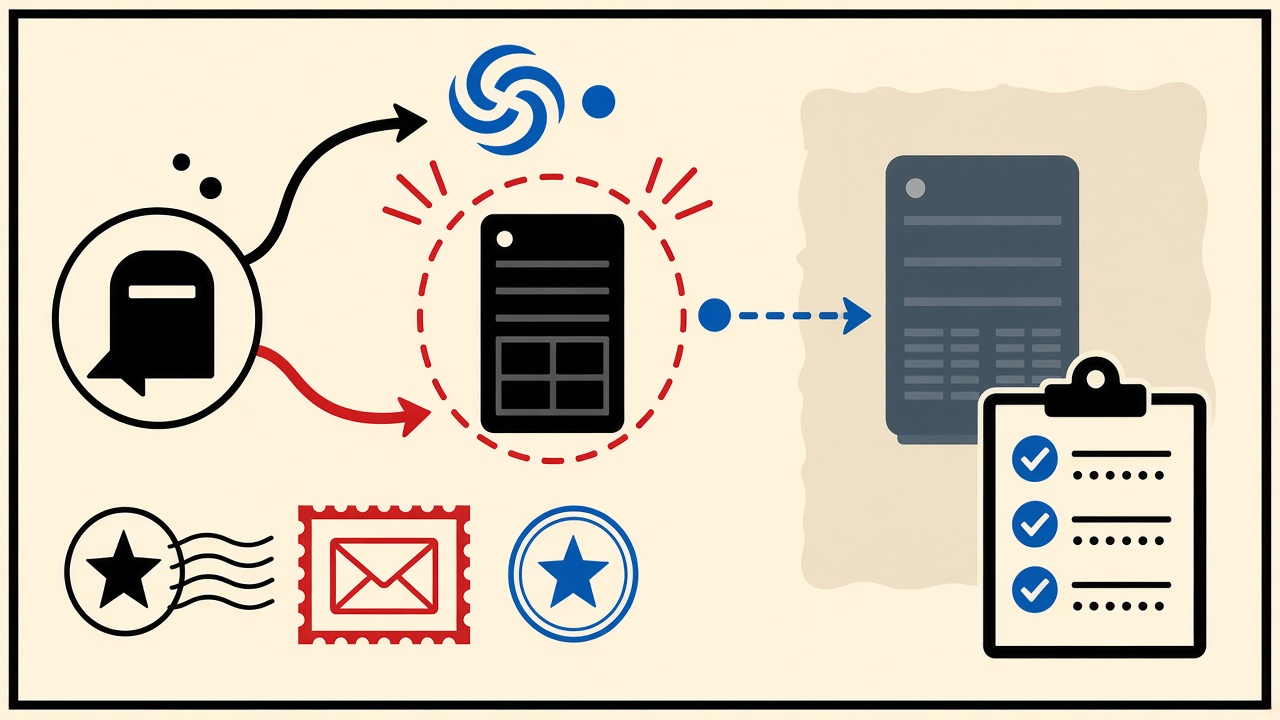
When inbound mail fails on an initial deployment, assume DNS is guilty until dig/drill proves otherwise. An incorrect MX target—wrong hostname, leftover registrar parking MX, or priority pointing at a legacy server—drops or misroutes mail before your app logs ever see SMTP. Fix and verify DNS first; only then debug TLS, filters, or application parsers.
This runbook is for operators bringing up legitimate receive infrastructure they own. It does not expose Mailby internal panels and does not encourage hijacking anyone else’s domain.
Initial deployment context
Greenfield checklists often prioritize HTTPS and app deploys while MX remains a registrar default. Symptoms:
- External tests show “connection refused” to the wrong host
- Mail arrives at an old Google Workspace still listed in MX
- Split-horizon DNS shows correct internal MX and wrong public MX
Boundaries:
- You have authority over the zone
- You can roll back TTL-friendly changes
- Temporary consumer inboxes are unrelated to fixing your MX—they only help as external probes
Earliest failing hop
- Publication: Does the public authoritative server return the MX you intend?
- Target A/AAAA: Does the MX hostname resolve to the intended load balancer or MTA?
- Port 25 reachability: From an external vantage, does SYN succeed?
- SMTP banner/EHLO: Is it your software?
- TLS and auth policy: STARTTLS expectations for inbound submission paths you support
- App accept: Does the receiver write the message to storage?
Stop at the first failed layer.
Runbook table
| Layer | Check | Expected observation | Failure clue | Rollback |
|---|---|---|---|---|
| Authoritative MX | dig MX example.com @auth | Intended host + priority | Old host still listed | Restore previous MX RRSet |
| Resolver cache | dig without @auth | Matches auth after TTL | Stale cache | Wait TTL; lower TTL next change |
| MX target A | dig A mx1… | Correct VIP | Points to parking | Fix A or MX hostname |
| TCP 25 | nc/openssl from external | Banner | Timeout/refused | Security group / wrong IP |
| SMTP | manual EHLO | 250s | 5xx loops | MTA config rollback |
| App | receiver logs | Stored message id | No log line | Revert app; keep MX stable |
Field pattern (2026-09-24 editorial)
Working path: Lower TTL to 300 → publish MX to new MTA hostname → verify with two public resolvers → send test message from an external account → confirm receive logs → raise TTL.
Failure path: App deployed first; MX still on registrar forwarding; team debugs application parsers for hours. Probe with dig would have shown the incorrect target immediately.
Worked example
Domain example.com should receive at mx.a.example.net.
dig MX example.com +shortreturns10 mail.registrar-park.example— incorrect.- Rollback plan written: previous RRSet saved in ticket.
- Publish
10 mx.a.example.net. - Confirm
dig A mx.a.example.net→ intended anycast VIP. - External probe sends to
postmaster@example.com. - Message appears in receiver; TLS shows expected cert SAN.
If step 5 fails but dig is correct, escalate to firewall—not another DNS edit.
Using receive-only probes
A Quick Inbox does not fix your MX. Separately, sending from systems you control to your new domain validates accept paths. Mailby as destination helps test your outbound templates, not your inbound MX. Keep those diagnostics straight.
For productized receive APIs you run for customers, document MX targets clearly—ambiguous onboarding docs recreate this incident at scale. See engineering notes under /blog/receive-email-infrastructure and product receive overview at /how-it-works.
Safe rollback
- Keep prior MX RRSet in the change ticket
- Prefer add-then-swap with dual MX during migration when possible
- Never delete all MX before the new path is proven
- Mind TTL: changes made with 86400 TTL punish mistakes
Common incorrect-target classes
- Registrar parking MX left after domain purchase
- Typo in hostname (
mx1vsmxl) - CNAME at zone apex misuse affecting related records
- Partner ESP MX from a cancelled contract still published
- Environment mix-up staging MX on production zone
When not to touch MX
If only one recipient fails while others succeed, look at filters and user routing before DNS. MX is a domain-wide hammer.
Short answers
What causes an incorrect MX target on initial deploy?
Stale registrar defaults, typos, incomplete migrations, and verifying the app before DNS.
What should I do first?
Query authoritative MX and compare to the runbook’s intended host.
When is a permanent address safer?
N/A for infra—but human ops alerts should go to durable mail, not temporary inboxes.
What evidence changes the recommendation?
Correct MX + banner but no storage → shift to MTA/app debugging.
Sources and limitations
- DNS MX semantics: RFC 5321 and DNS operations practice
- Verify commands against your OS tooling on 2026-09-24; UI registrars differ
- No disclosure of Mailby concealed operations
Extra depth: dual-MX migrations
Publish new MX at a worse (higher) priority number first, prove traffic can flow, then cut priority. Some operators reverse priorities gradually. Measure deferrals during the window.
Monitoring after deploy
Synthetic probes every few minutes from external networks; alert on SMTP failure, not only on HTTP. Many teams forget mail in SRE dashboards.
Security groups
Cloud installs often allow :443 and forget :25/587 distinctions. Inbound receive typically needs 25 from the world (plus your threat model). Incorrect SG manifests exactly like incorrect MX (timeouts).
Documentation debt
Store the intended MX hostname in infrastructure-as-code—not a wiki paragraph from 2019. PR review for zone changes should be mandatory.
Extended operational notes
Treat this section as the practical appendix that turns a short briefing into something you can run under pressure. The goal is not filler; it is the set of reminders teams usually rediscover after an outage or a confused stakeholder thread.
Pre-change capture
Before you touch production-adjacent settings, capture the current state into the ticket: screenshots of DNS panels, dig outputs with timestamps, application config hashes, and the names of the humans on call. When the fix works, you will want that baseline to explain what changed. When the fix fails, you will need it to roll back without guesswork.
Communication template
Post a short status to your engineering channel: symptom, blast radius, current hypothesis, next check, and ETA for the following update—even if the ETA is “in 20 minutes.” Silence creates duplicate debugging. Include whether customers are impacted or only staging.
External vantage points
Test from at least two networks you do not control (home broadband, mobile data, or a VPS in another region). Corporate egress filtering regularly lies to you about port 25 and about DNS recursion. A false “it works on VPN” has wasted more hours than almost any MIME nuance.
Customer messaging
If outsiders are affected, publish honest status text: what failed, what to retry, and whether mail will be replayed. Do not promise recovery of messages you cannot recover. Temporary infrastructure without retention guarantees should never be described as a durable archive in status pages.
Post-incident review prompts
- What signal would have caught this in five minutes?
- Which runbook step was missing or wrong?
- Did we have ownership for DNS vs app vs ESP clearly assigned?
- Were TTLs too high for the risk of the change?
- Did anyone debug the wrong layer first, and how do we prevent that habit?
Training reps
Quarterly, recreate a staging failure intentionally (authorized chaos): wrong MX in a sandbox zone, empty text/plain part, expired OTP TTL, purged temporary inbox mid-QA. Muscle memory beats wiki pages written once and never read.
Tooling shortlist
Keep a known-good set of commands and accounts documented: dig/drill, openssl s_client, a throwaway outbound sender you control, a receive-only inspector such as Mailby Quick Inbox for MIME peeks on systems you own, and access to your ESP’s event logs. Replace tribal SSH lore with links in the runbook.
Security and authorization reminder
Only test systems you are allowed to test. Do not use verification techniques as a pretext to probe third parties. Logging and retention policies still apply during incidents; do not paste customer message bodies into public Slack channels.
Product-truth recap for Mailby mentions
Mailby remains receive-only: no send, no forward, no open relay, no anonymity guarantee, no claim of universal deliverability. Quick Inbox is live at /inbox. Privacy Pro is live via /pricing. Developer Test Inbox Cloud is live at /developers and /account/developer. Encryption is at rest plus TLS in transit—not E2EE. Retention differs from address lease—read /data-retention before promising timelines to users.
Closing bridge
If you only remember one habit from this appendix, make it this: establish the failing layer with evidence before changing two systems at once. Parallel unscientific edits create myths (“restarting the app fixed DNS”) that haunt the next deploy.
Appendix note 1
Re-verify live configuration on the day you act; screenshots in this article are narrative composites dated 2026-09-24 and may not match your vendor UI.
Extended operational notes
Treat this section as the practical appendix that turns a short briefing into something you can run under pressure. The goal is not filler; it is the set of reminders teams usually rediscover after an outage or a confused stakeholder thread.
Pre-change capture
Before you touch production-adjacent settings, capture the current state into the ticket: screenshots of DNS panels, dig outputs with timestamps, application config hashes, and the names of the humans on call. When the fix works, you will want that baseline to explain what changed. When the fix fails, you will need it to roll back without guesswork.
Communication template
Post a short status to your engineering channel: symptom, blast radius, current hypothesis, next check, and ETA for the following update—even if the ETA is “in 20 minutes.” Silence creates duplicate debugging. Include whether customers are impacted or only staging.
External vantage points
Test from at least two networks you do not control (home broadband, mobile data, or a VPS in another region). Corporate egress filtering regularly lies to you about port 25 and about DNS recursion. A false “it works on VPN” has wasted more hours than almost any MIME nuance.
Customer messaging
If outsiders are affected, publish honest status text: what failed, what to retry, and whether mail will be replayed. Do not promise recovery of messages you cannot recover. Temporary infrastructure without retention guarantees should never be described as a durable archive in status pages.
Post-incident review prompts
- What signal would have caught this in five minutes?
- Which runbook step was missing or wrong?
- Did we have ownership for DNS vs app vs ESP clearly assigned?
- Were TTLs too high for the risk of the change?
- Did anyone debug the wrong layer first, and how do we prevent that habit?
Training reps
Quarterly, recreate a staging failure intentionally (authorized chaos): wrong MX in a sandbox zone, empty text/plain part, expired OTP TTL, purged temporary inbox mid-QA. Muscle memory beats wiki pages written once and never read.
Tooling shortlist
Keep a known-good set of commands and accounts documented: dig/drill, openssl s_client, a throwaway outbound sender you control, a receive-only inspector such as Mailby Quick Inbox for MIME peeks on systems you own, and access to your ESP’s event logs. Replace tribal SSH lore with links in the runbook.
Security and authorization reminder
Only test systems you are allowed to test. Do not use verification techniques as a pretext to probe third parties. Logging and retention policies still apply during incidents; do not paste customer message bodies into public Slack channels.
Product-truth recap for Mailby mentions
Mailby remains receive-only: no send, no forward, no open relay, no anonymity guarantee, no claim of universal deliverability. Quick Inbox is live at /inbox. Privacy Pro is live via /pricing. Developer Test Inbox Cloud is live at /developers and /account/developer. Encryption is at rest plus TLS in transit—not E2EE. Retention differs from address lease—read /data-retention before promising timelines to users.
Closing bridge
If you only remember one habit from this appendix, make it this: establish the failing layer with evidence before changing two systems at once. Parallel unscientific edits create myths (“restarting the app fixed DNS”) that haunt the next deploy.
Appendix note 2
Re-verify live configuration on the day you act; screenshots in this article are narrative composites dated 2026-09-24 and may not match your vendor UI.
Conclusion
Incorrect MX targets are DNS product bugs, not application mysteries. Dig first, roll back safely, prove with an external message, then harden monitoring. Temporary inboxes are irrelevant except as unrelated outbound test destinations—keep your receive runbook focused on the zone you own.
Try it on Mailby
Open a receive-only disposable inbox when a short-lived address fits the job — session-bound, with timed purge.